DXLab – Thetis Bridge
Connects DXLab Suite’s spot pipeline to Thetis SDR, painting DX cluster spots live onto the panadapter with full colour-coding, country information and beam headings.
What it does
SpotCollector receives DX cluster spots and resolves each callsign against your logbook — the spot colour already tells you whether a station is needed, worked, confirmed, or a new multiplier. Commander’s Waterfall Bandmap displays those colour-coded spots on a frequency axis.
DXLab – Thetis Bridge takes that same spot stream and paints it onto Thetis’s panadapter in real time — with the same colours, the same need-status logic, and enriched tooltip data:
- Foreground colour — worked / needed / confirmed / mult status from SpotCollector, resolved against your DXKeeper log
- Background colour — LoTW and eQSL status from DXView (yellow = LoTW · cyan = eQSL · silver = both)
- Country and continent — from the BigCTY database, auto-located via DXView registry
- Beam heading and distance — great-circle to the DX entity from your QTH coordinates
- Spotter callsign and comment — visible in the Thetis spot tooltip
- Mode — derived from SpotCollector’s BandModes.txt band plan (FT8, CW, USB, RTTY, etc.)
Spots appear and disappear on the panadapter in sync with Commander’s Waterfall Bandmap. Clicking a spot in Thetis tunes Commander’s VFO via the native Commander ↔ Thetis CAT link — Bridge does not intercept radio control.
Features at a glance
- Zero configuration — all paths found automatically via Windows registry
- Spot colours match SpotCollector’s worked / confirmed / mult colour scheme exactly
- Correct colour decoding of Commander’s UDP spot stream (ConvertColor signed-integer format)
- LoTW and eQSL background colours from DXView, following your SpotCollector colour settings
- Country, continent, beam heading and distance in every spot tooltip
- Mode decoded from SpotCollector BandModes.txt (FT8, CW, RTTY, USB, LSB, DIGU, DIGL…)
- Band filter — optional: show only spots on the same band as the current VFO
- Reconnect-safe — spots re-painted automatically if Thetis restarts
- Debug log window for troubleshooting
Architecture
│
▼
SpotCollector ─────────────────────────────────────┐
│ resolves need-status, applies colours │
▼ │
Commander (Waterfall Bandmap) ──UDP :13063──▶ DXLab – Thetis Bridge
│
DXView (.mdb) ──────────────────────────────────────┤ bg colour
BigCTY (DXView) ────────────────────────────────────┤ country / heading
SpotCollector BandModes.txt ────────────────────────┤ mode
│
TCI WS :50001
│
▼
Thetis
spots on panadapterCommander ◀──── TCP :13013 ────▶ Thetis
VFO / mode / split / spot-click QSY — native, no Bridge involvement
All data sources are auto-discovered from the Windows registry — no paths to configure.
Requirements
DXLab Suite and Thetis must both be running before Bridge is started.
Installation
Download BridgeToThetis-Setup-v7.1.0.msi from the button above.
Run the installer — no additional runtime or dependencies required.
Launch DXLab – Thetis Bridge from the Start menu or desktop shortcut.
Follow the Configuration Guide for full step-by-step setup.
Quick Start
With DXLab Suite and Thetis already running and configured:
In Commander → Settings → Network Services → Waterfall Bandmap and Thetis Bridge Service — ensure the service is enabled on port 13063.
In Thetis → Setup → TCI — enable the TCI server on port 50001.
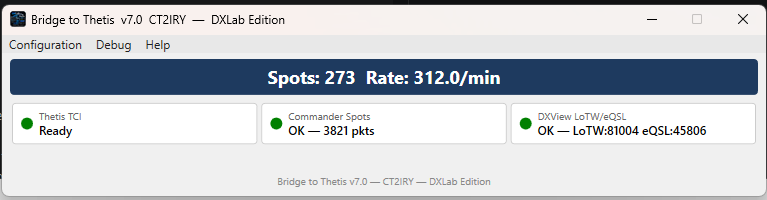
Start DXLab – Thetis Bridge — it connects automatically.
Open a panadapter in Thetis and watch spots appear.
Changelog
| 7.1.0 LATEST | 14 Apr 2026 | Correct Commander UDP colour parsing (AA6YQ ConvertColor formula) · improved spot reliability |
| 7.0.5 | 2026 | Band filter · BandModes.txt mode detection · SpotCollector PaneColor registry read |
| 7.0.1 | 2026 | Installer upgrade fix · assembly version in About dialog |
| 7.0.0 | 2026 | C# WPF rewrite · TCI WebSocket · DXLab UDP XML spot parsing |